Login to the Service Menu
Access to the Service Menu of the vending unit is protected by a PIN-based authentication system.
Only authorized service personnel can access the service interface.
The system supports multiple user roles, and each role has its own PIN code.
The functionality available in the service menu depends on the permissions assigned to the logged-in role.
All features described in the following documentation correspond to full access, which is available to a user with the Administrator role.
Opening the Login Screen
Section titled “Opening the Login Screen”To open the service login screen:
- On the main customer screen of the vending unit, tap the top-right corner of the display.
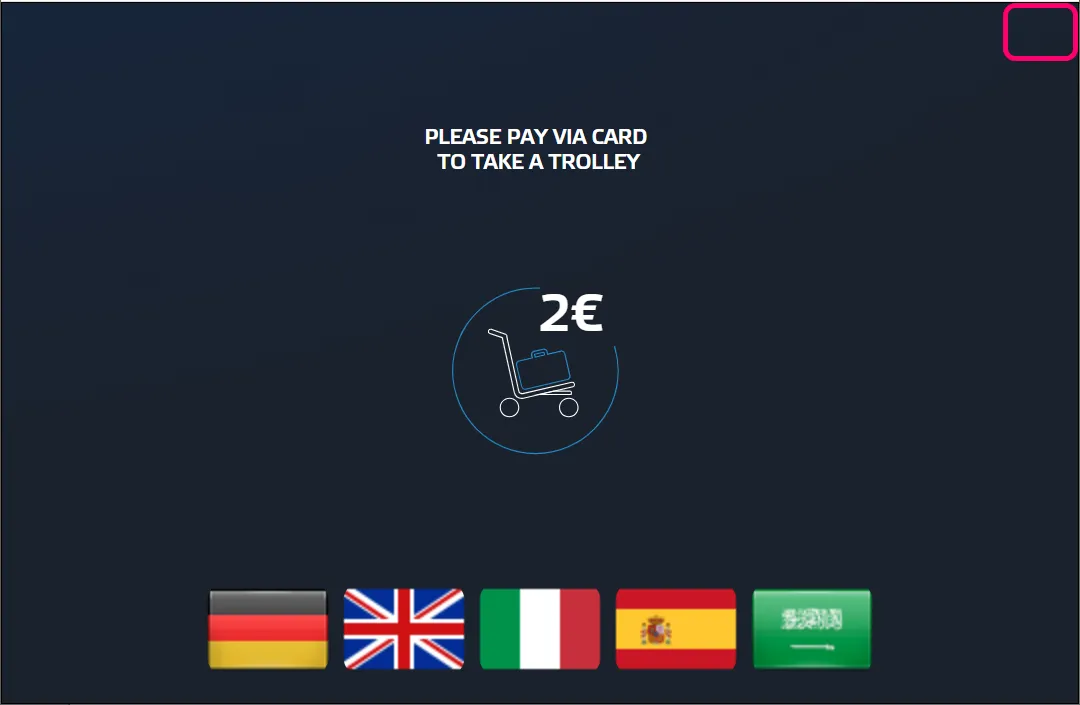
- Continue tapping the corner area until the PIN entry screen appears.
This hidden interaction prevents accidental entry into the service interface.
Entering the Service PIN
Section titled “Entering the Service PIN”Once the login screen appears, the system displays a PIN entry form.
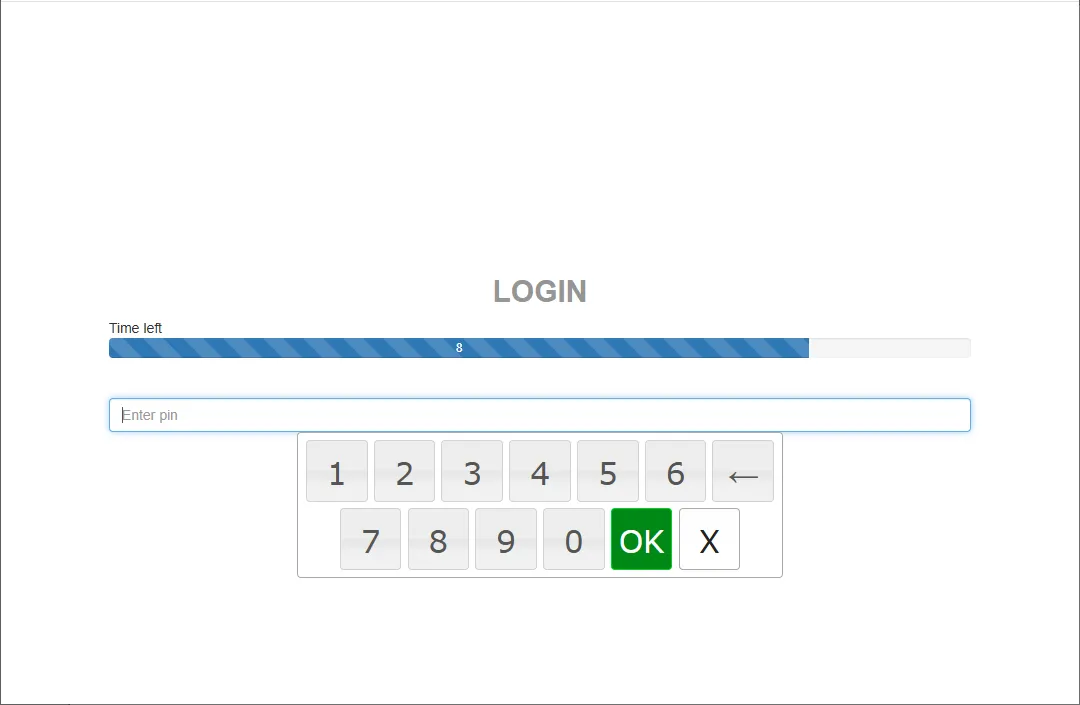
The screen contains:
- a field for entering the PIN
- a numeric keypad
- a confirmation button
Steps:
- Enter the PIN code assigned to your user role.
- Press OK to confirm.
If the PIN is valid, the login process continues.
Door Opening Procedure
Section titled “Door Opening Procedure”After successful authentication, the system instructs the technician to open the machine door.
A countdown timer is displayed showing the remaining time to open the door.
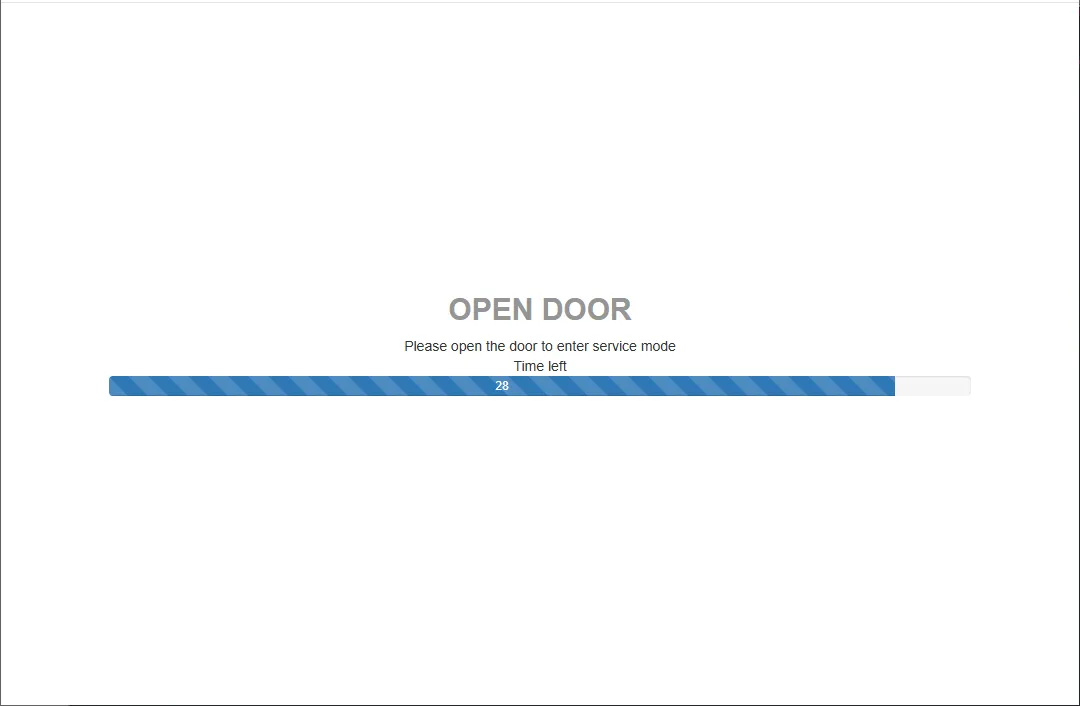
If the door is opened within the allowed time, the system switches to Service Mode.
Service Menu
Section titled “Service Menu”Once the door is opened, the Service Menu appears.
The top-right corner of the screen shows the currently logged-in user and role.
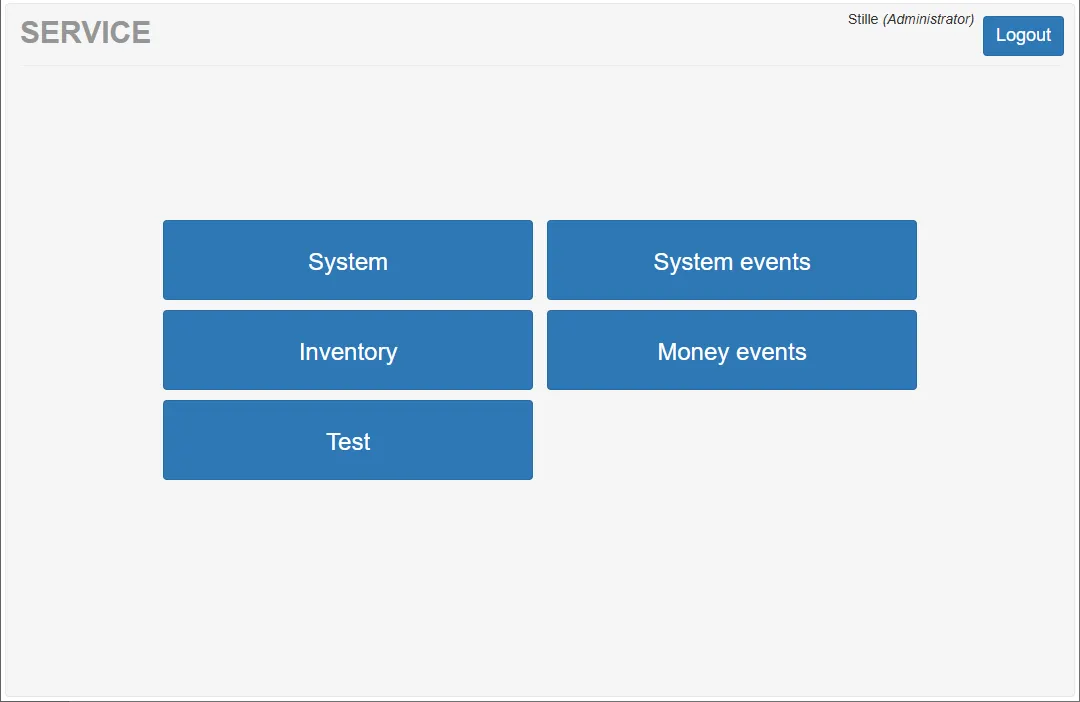
Example:
Stille (Administrator)
The service menu provides access to different sections of the system, such as:
- System
- System Events
- Inventory
- Money Events
- Test
The available functions may vary depending on the user role.
User Roles
Section titled “User Roles”The vending unit supports a role-based access system.
Each role:
- has its own login PIN
- may have different permissions within the service menu
The Administrator role has full access to all service functions.
All sections described in the documentation assume access with this role.
Door Opening Without Login
Section titled “Door Opening Without Login”The system configuration allows defining whether the machine door can be opened without logging into the service menu.
This setting determines the behavior of the security alarm.
Possible configurations:
- Door opening without login triggers the alarm
- Door opening without login does not trigger the alarm
This option can be configured within the service menu settings.