System / Status
The Status page displays the current operational state of the vending machine, including:
- system connectivity status
- user session status
- door and configuration status
- network interface parameters
This information is primarily used by service technicians for system diagnostics and troubleshooting.
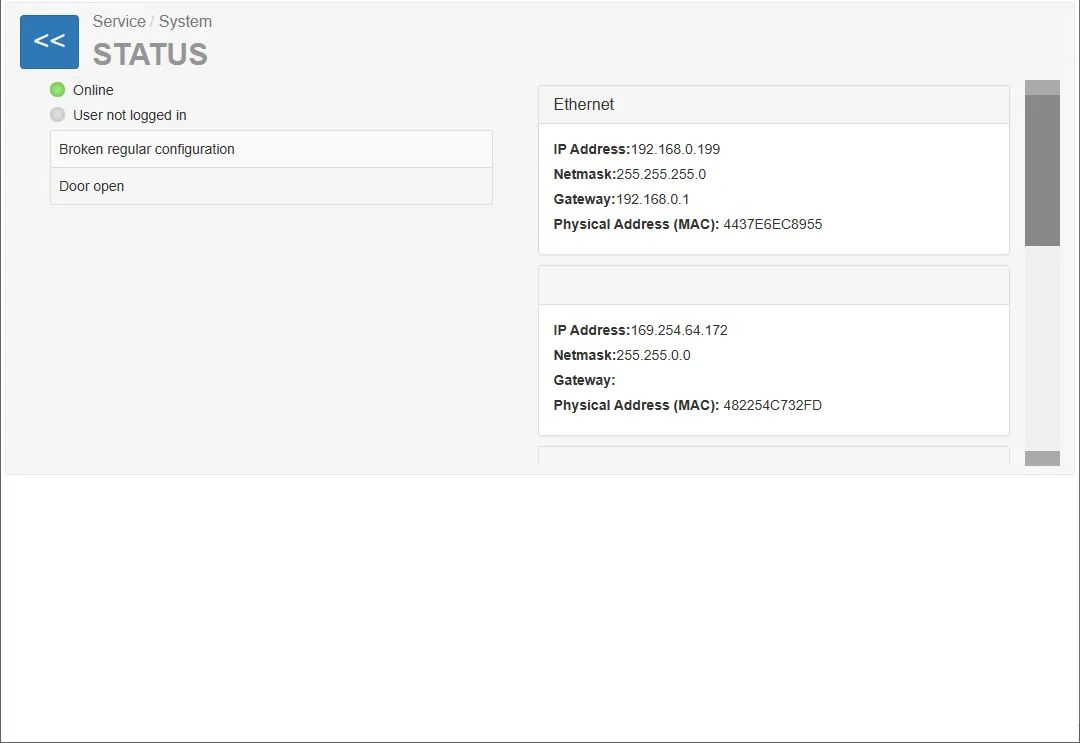
System Status
Section titled “System Status”The upper part of the page displays the overall machine status.
Online Status
Section titled “Online Status”The Online indicator shows whether the machine is connected to the server.
Possible states:
- Online (green indicator) – the machine is successfully connected to the server
- Offline – the machine is not connected or cannot reach the server
User Login Status
Section titled “User Login Status”This indicator shows whether a service user is currently logged into the machine.
Example:
User not logged in
Configuration Status
Section titled “Configuration Status”This field indicates whether the machine configuration has changed compared to the expected configuration.
Example:
Broken regular configuration
Door Status
Section titled “Door Status”The machine door status is displayed for security and service purposes.
Example:
Door open
Meaning:
- the vending machine door is currently open
- service mode is active
Network Information
Section titled “Network Information”The right section of the page shows network interface information.
Multiple network adapters may be displayed depending on the hardware configuration.
Ethernet Interface
Section titled “Ethernet Interface”The Ethernet section displays parameters for the main network interface.