System / Information
The page displays general system information, machine identification data, and basic payment configuration parameters.
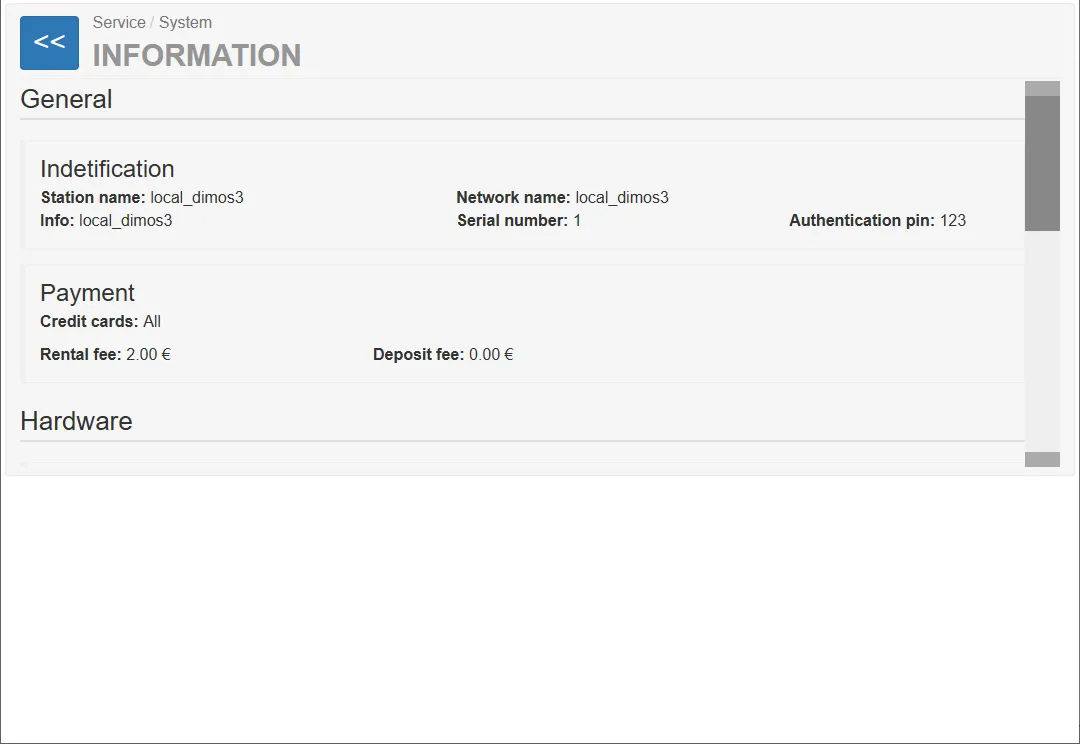
It is primarily used by service technicians for diagnostics, device identification, and system monitoring.
The page is divided into several information sections.
General
Section titled “General”The General section contains basic information about the vending machine.
These details are used to identify the machine within the system and network infrastructure.
Identification
Section titled “Identification”The Identification section displays the primary identification parameters of the machine.
Station Name
Section titled “Station Name”The Station Name identifies the machine within the infrastructure.
Example:
Station Name: local_dimos3
The Info field contains additional information about the station or installation.
Example:
Info: local_dimos3
Network Name
Section titled “Network Name”The Network Name defines the hostname used for communication within the network.
Example:
Network Name: local_dimos3
Serial Number
Section titled “Serial Number”The Serial Number uniquely identifies the vending machine hardware.
Example:
Serial Number: 1
Authentication PIN
Section titled “Authentication PIN”The PIN used by the machine to connect to the server.
Example:
Authentication PIN: 123
Payment
Section titled “Payment”The Payment section displays the configured payment parameters for the vending machine.
Credit Cards
Section titled “Credit Cards”Indicates which credit card types are accepted by the system.
Example:
Credit Cards: All
Rental Fee
Section titled “Rental Fee”The Rental Fee represents the price charged for renting a luggage trolley.
Example:
Rental Fee: 2.00 €
Deposit Fee
Section titled “Deposit Fee”The Deposit Fee represents the deposit amount required for using the trolley.
Example:
Deposit Fee: 0.00 €
If the value is 0.00 €, the machine operates without a deposit.
Hardware
Section titled “Hardware”The Hardware section displays information about installed mechanical and electronic components.
This information allows technicians to verify the physical configuration of the machine.
The Rails section describes the trolley rails installed in the machine.
Each rail represents a physical storage channel for luggage trolleys.
Example configuration:
Rail1: 10 max Rail2: 1 max Rail3: 1 max Rail4: 1 max
Additional parameters:
Operating Mode: Normal Number of Rails: 4 Total Number of Trolleys: 13
Components
Section titled “Components”The Components section shows which optional hardware modules are installed.
Example:
Lighting cube top: No Turnstile: No Roof: No RFID reader: No Printer: No
This allows technicians to quickly verify the installed equipment.
System Configuration
Section titled “System Configuration”This section describes the configuration of the vending machine.
Regular Configuration
Section titled “Regular Configuration”The Regular Configuration describes the normal operating configuration of the system.
Example:
Rails: 4 Hopper: 0 Card Reader
This means the machine normally operates with four trolley rails and a card reader, without a coin hopper.
Minimum Configuration
Section titled “Minimum Configuration”The Minimum Configuration defines the minimum hardware configuration required for the machine to operate.
Example:
Rails: 1 Hopper: 0 Card Reader
Operating System and Software Version
Section titled “Operating System and Software Version”The OS and Software Version section displays the software environment of the machine.