Switches Test
The Switch Test page allows service technicians to monitor the current state of several hardware sensors and switches installed in the vending machine.
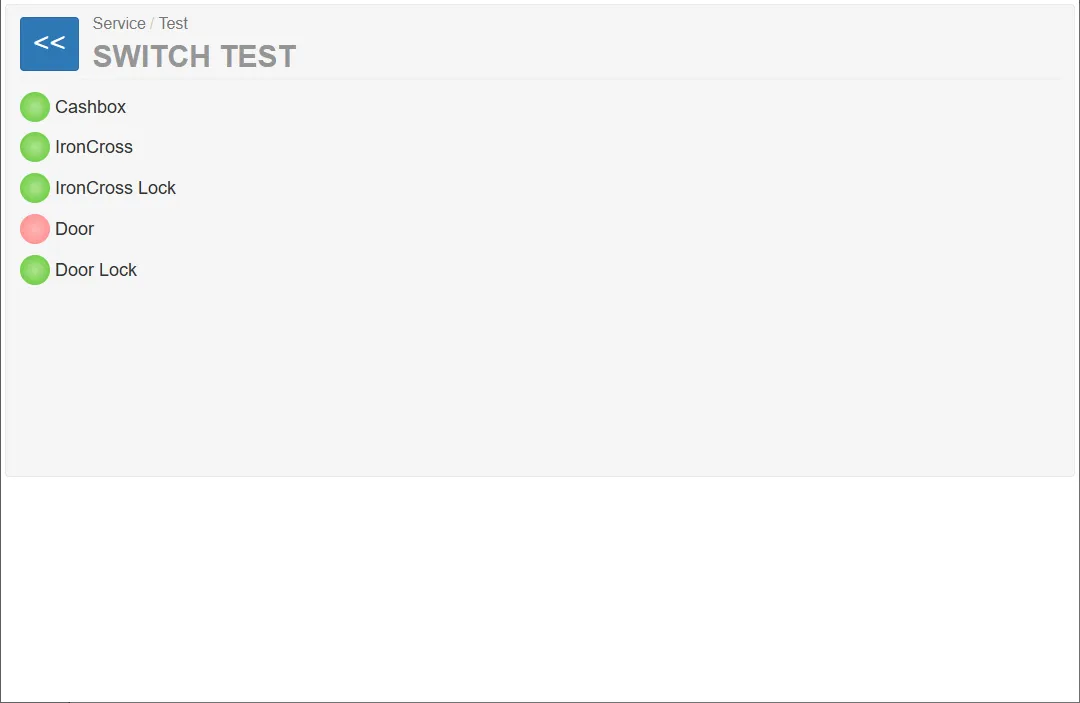
The page provides a real-time diagnostic interface showing whether each hardware input is currently active or inactive.
This tool is used during:
- installation
- maintenance
- hardware diagnostics
- troubleshooting of sensors and safety switches
Switch Status Indicators
Section titled “Switch Status Indicators”Each hardware input is displayed with a colored status indicator.
Indicator Colors
Section titled “Indicator Colors”| Color | Meaning |
|---|---|
| Green | Input is active / signal detected |
| Red | Input is inactive or in an error state |
These indicators update automatically when the corresponding hardware state changes.
Switch List
Section titled “Switch List”The page displays the current status of several hardware inputs.
Cash Box, IronCross, IronCross Lock
Section titled “Cash Box, IronCross, IronCross Lock”These devices are not in use in the current system, so the signals are not relevant
This indicator shows the state of the vending machine service door.
Indicator behavior:
- Green – door closed
- Red – door open
This status is important because many service functions require the door to be open.
Door Lock
Section titled “Door Lock”This sensor shows the state of the door locking mechanism.
Purpose:
- verifies whether the door lock is engaged
Indicator behavior:
- Green – door lock detected
- Red – lock not engaged or sensor inactive